Out-of-home screens aren't all the same. A lobby display is wide and landscape; a kiosk is tall and portrait; some are square. Run one ad across all of them without thinking about it, and you get stretched logos, cropped headlines, and a message that looks wrong half the time. AdSpace handles this for you — so your creative looks right on every screen it runs on.
Screens, grouped by shape
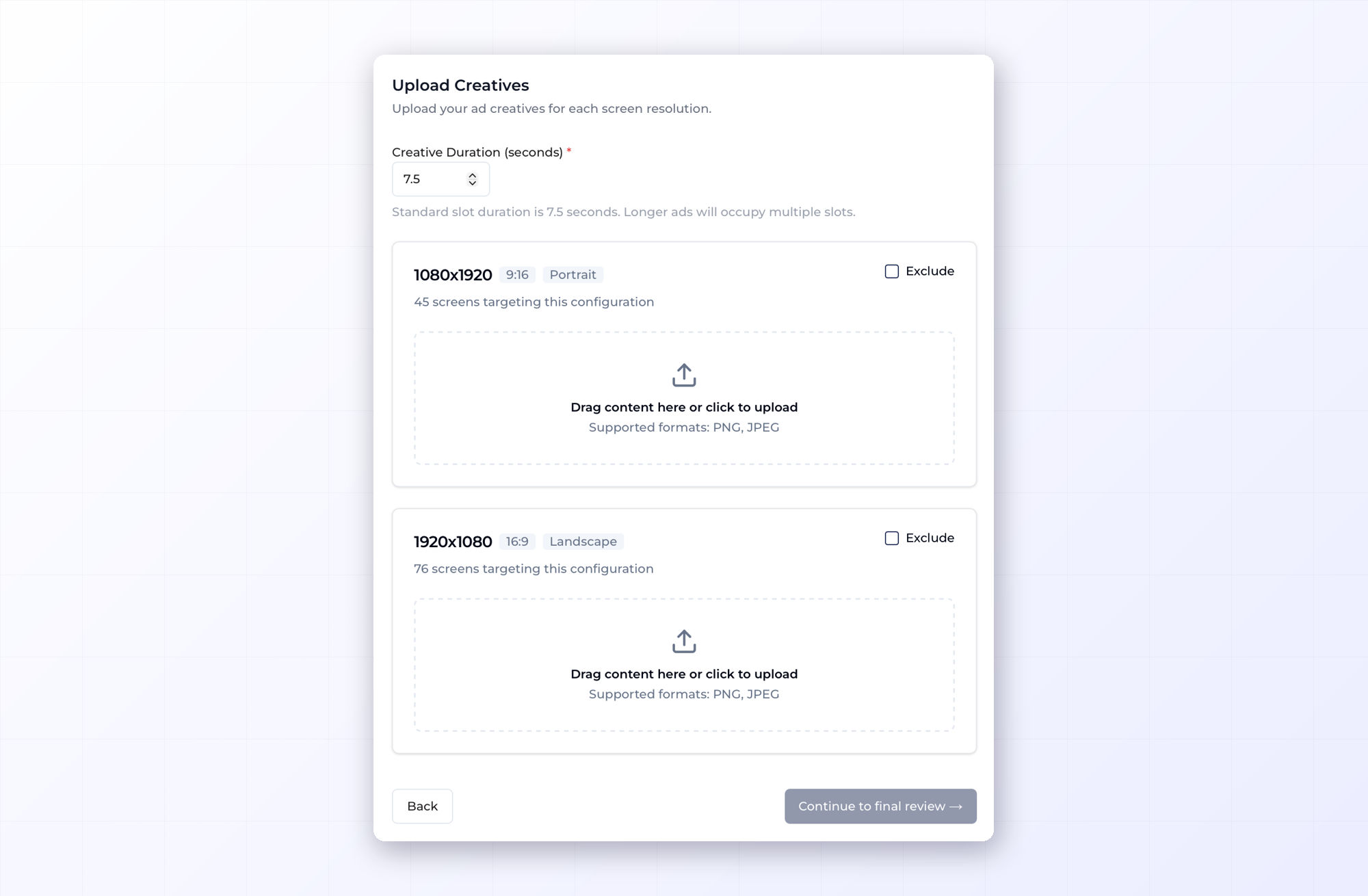
When you build a campaign, AdSpace automatically sorts the screens you're targeting into resolution groups — buckets of screens that share the same dimensions. Each group shows the resolution, aspect ratio, orientation, and how many screens sit behind it: say, 1080×1920 · 9:16 · Portrait with 45 screens targeting it, and 1920×1080 · 16:9 · Landscape with 76.
Instead of guessing what sizes you need, you see exactly which shapes your campaign touches and how many screens sit behind each. If there's a group you'd rather skip — say a handful of oddly-sized screens — you can exclude it in one click.
Upload the right creative for each
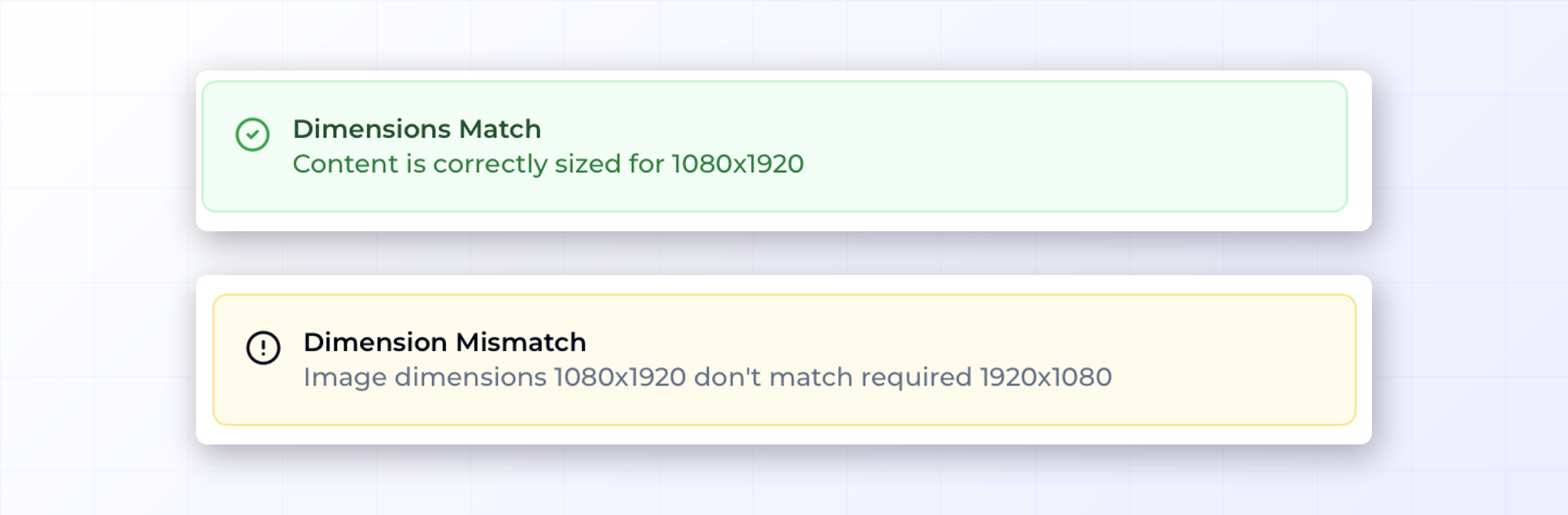
For each group, you provide a creative that fits — every group has its own upload slot, so the portrait screens get the portrait file and the landscape screens get the landscape one. And validation is built in: upload a correctly sized file and it's confirmed on the spot — Dimensions Match: content is correctly sized for 1080×1920. Upload the wrong shape — a portrait file where landscape screens need 1920×1080 — and it's flagged immediately as a Dimension Mismatch. A wrong form factor can't slip through and end up on screens it doesn't fit.
You also set the creative duration up front: the standard slot is 7.5 seconds, and a longer ad simply occupies multiple slots. Video works the same way, with formats like MP4 and WebM, and the duration is read automatically so your creative length lines up across the campaign.
Why it matters
A great ad on the wrong-shaped screen stops being a great ad. Letterboxed, stretched, or cut-off creative reads as careless — the opposite of the polish you're paying for. Controlling resolution and orientation isn't a technicality; it's the difference between looking sharp on every screen and looking off on some of them.
It also saves you the usual back-and-forth. No exporting a dozen sizes on a guess, no discovering after launch that the portrait screens looked wrong. You see the shapes up front and supply exactly what's needed.
One campaign, every shape covered
Say you're running a single promotion across a mix of screens — wide lobby displays, tall elevator panels, a couple of square menu boards. Without resolution control, you'd either force one file onto all of them and accept that some look wrong, or skip the awkward ones and lose that reach. With it, each shape gets a creative that fits, so the whole buy looks intentional — and you don't have to leave screens out just to keep it looking good.
Look sharp everywhere
Your audience doesn't know or care about resolution groups. They just see your ad — and whether it looks like it belongs there. AdSpace makes sure it does, on every screen in the buy.